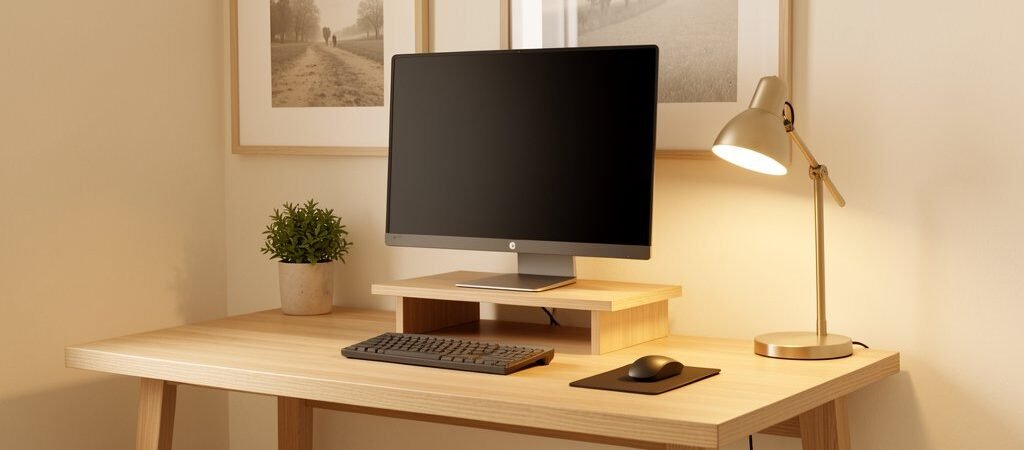
Your desk is not just furniture. It is a cognitive tool. The way you set it up directly affects how long you can concentrate, how often you get distracted, and how much energy you have left at the end of the day.
Research consistently shows that physical environment shapes mental performance. a Harvard Business Review study on desk clutter and cognitive focus A 2019 study referenced by Harvard Business Review on workplace clutter and focus found that visual disorder competes for your attention whether you notice it or not. Every object in your visual field is a micro-distraction pulling cognitive resources away from the task at hand.
The good news: setting up a deep-focus desk is not expensive. It is intentional.
Start With the Desk Surface Itself
The foundation of a focus-optimized setup is a clear, defined workspace. Before you add anything, remove everything. Start from zero.
What should stay on the desk surface:
- Your monitor (or laptop on a stand)
- Keyboard and mouse
- A single notebook and pen
- A water bottle
That is it. Everything else — cables, chargers, books, snacks — gets a dedicated home off the surface.
Desk Size and Shape
If you are choosing a new desk, go wider than you think you need. A minimum of 120cm (47 inches) gives you room to work without feeling cramped. L-shaped desks are excellent for separating your primary computer zone from a secondary writing or reading zone.
Recommended desks for deep focus setups:
- IKEA ALEX + LINNMON combination — budget-friendly, modular, huge surface area
- Flexispot E7 standing desk — motorized height adjustment, solid build quality
- Uplift V2 — premium option with programmable height memory
Monitor Positioning: The Rule Most People Get Wrong
Your monitor should sit at arm’s length and the top of the screen should be at or just below eye level. Most people have their screens too low (causing neck strain) or too close (causing eye fatigue).
Use a monitor arm instead of a stand. It frees up desk surface, allows perfect positioning, and lets you push the monitor back when you need desk space for writing.
Top monitor arm picks:
- Ergotron LX — the industry standard, smooth movement, holds most monitors
- Amazon Basics Single Monitor Arm — solid budget option under €30
- Fully Jarvis Monitor Arm — great for ultrawide monitors
Cable Management: The Hidden Focus Killer
Visible cable chaos is one of the most underestimated focus disruptors. Your brain registers tangled cables as disorder — even when you are not consciously looking at them.
A clean cable setup takes 30 minutes and costs less than €20:
- Cable raceways — stick to the back or underside of the desk to route cables out of sight
- Velcro cable ties — bundle cables together cleanly
- Under-desk cable tray — mounts under the desk surface, hides power strips and excess cable
- Anker USB hub — consolidates multiple devices into one clean cable to your laptop
The Desk Pad: Small Investment, Big Impact
A large desk pad (also called a desk mat) does two things: it defines your primary work zone visually, and it gives your wrists and arms a comfortable resting surface during long sessions.
Good options:
- Logitech Desk Mat Studio Series — durable, washable, good size options
- IKEA LANESPELARE — budget gaming mat that works perfectly as a desk pad
- Ordo Desk Pad — premium leather option if aesthetics matter to you
Keyboard and Mouse: Ergonomics Over Aesthetics
Your keyboard and mouse are the tools you interact with most. Poor choices here create physical friction — wrist pain, shoulder tension — that gradually degrades your ability to work for long stretches.
Recommended ergonomic picks:
- Logitech MX Keys — comfortable, wireless, excellent for typing long-form
- Keychron K3 — compact mechanical keyboard, great keystroke feedback
- Logitech MX Master 3 — the gold standard for productivity mice, thumb scroll wheel is genuinely useful
- Logitech MX Vertical — if you have wrist issues, the vertical grip is a game changer
The One-Item Rule for Desk Accessories
Every accessory on your desk should earn its place. Before adding anything, ask: does this actively support my work, or is it just decoration?
Items that earn their place:
- A small succulent or plant (NASA research shows plants marginally improve air quality and perceived calm)
- A physical notebook for tasks and thinking (keeps your screen cleaner)
- A small desk clock (reduces time you check your phone)
- A headphone stand (keeps headphones accessible and off the surface)
Items that usually do not earn their place: decorative figurines, stacked books, multiple charging cables, food packaging.
The 5-Minute Desk Reset Protocol
The best desk setup degrades over time if you do not maintain it. Build a daily 5-minute desk reset into your shutdown routine:
- Clear all items that do not belong on the surface
- Coil any loose cables
- Put your notebook in its designated spot
- Wipe the desk pad
- Close all browser tabs and shut down your computer
Walking into a clean desk the next morning is not a small thing. It signals to your brain that work is beginning in an ordered, controlled environment — and that signal primes you for focus before you have typed a single word.
Your Desk Setup Is a System, Not a One-Time Decision
The best home office setups are not built in a day. They are iterated. Start with the fundamentals — clear surface, correct monitor height, managed cables — and adjust from there based on how you actually work. What reduces friction for your specific workflow is the only thing that matters.
Your desk is the first thing you see when you sit down to work. Make it something that tells your brain: this is a place where real work happens.