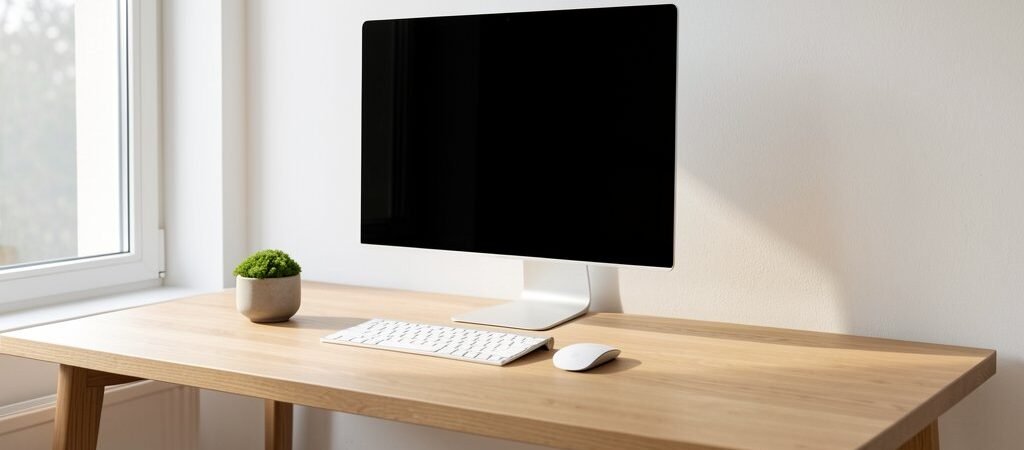
There is a direct relationship between what is on your desk and what is in your head. The more objects in your visual field, the more cognitive resources your brain allocates to processing and filtering that visual information — resources that would otherwise go toward the work in front of you.
This is not a philosophy. Forbes’s coverage of how desk organisation affects output It is neuroscience. A study from the Princeton University Neuroscience Institute found that clutter in the visual environment competes for neural representation, reducing the brain’s ability to focus and process information. As Forbes reports on the productivity science behind clean workspaces, removing visual disorder is one of the fastest ways to improve cognitive performance without changing anything else about how you work.
The minimalist desk setup is not about aesthetics. It is about clearing the cognitive field so you can do your best work.
The Core Minimalist Principle: Everything Earns Its Place
Before adding anything to your desk, ask one question: does this item directly support the work I do at this desk?
If the answer is yes — it stays. If the answer is maybe, sometimes, or it is nice to have — it goes somewhere else.
What typically earns a place on a minimalist desk:
- Monitor or laptop on a stand
- Keyboard and mouse
- One notebook (not a stack)
- One pen (not a cup full)
- Water bottle or single drink
- Headphones (on a stand or hook)
What typically does not earn a place:
- Decorative items that serve no work function
- Books not currently in use
- Multiple chargers and cables in sight
- Stationery you use less than once a week
- Food packaging, receipts, or loose papers
Step-by-Step Minimalist Desk Transformation
Step 1: Clear Everything Off the Desk Completely
Remove every single item from the desk surface and place it on the floor. This is the reset. Starting from zero forces you to make a deliberate decision about every object rather than leaving things in place by default.
Step 2: Create Three Piles
- Return to desk — actively used daily, directly supports work
- Assign a new home — useful but does not need desk surface space (drawer, shelf, storage box)
- Remove entirely — not used, outdated, or serving no purpose
Step 3: Solve Storage Before Returning Items
The biggest mistake in desk decluttering is returning items to the surface because there is nowhere else to put them. Before items go back, create the storage solutions that keep them off the surface:
- Under-desk cable tray (Tripp Lite or VIVO make good options) — hides cables and power strips
- Drawer organiser — divides desk drawers so items have assigned spots, not just piles
- Wall-mounted shelves — move books, reference materials and storage vertical, freeing the desk
- Monitor stand with storage — raises the monitor to correct height while providing drawer space underneath
Step 4: Return Only What Earned Its Place
Put back only the items from your “return to desk” pile. Leave space. Empty surface is not wasted space — it is active cognitive breathing room.
Step 5: Route and Hide All Cables
Visible cables are the most common destroyer of an otherwise clean desk. Spend 20 minutes routing them properly:
- Velcro cable ties to bundle cables running along the same path
- Cable clips adhered to the back or underside of the desk to route cables out of the visual field
- A single USB hub (Anker 7-Port USB Hub is excellent) to consolidate multiple devices into one clean cable to your computer
Minimalist Desk Product Picks
Desk Organisers
- IKEA KVISSLE cable management box — hides power strips cleanly under or beside the desk
- STILNEST Desk Organiser — minimal, vertical pen/stationery holder that takes up almost no surface area
- Grovemade Desk Shelf — premium wooden shelf system that elevates the monitor and creates lower storage space
Monitor and Laptop Stands
- Rain Design mStand — clean aluminium laptop stand, frees desk surface, good viewing angle
- VIVO Single Monitor Stand — budget monitor stand with storage shelf, elevates monitor to correct eye level
The Desk Mat Anchors Everything
A large desk mat visually defines your work zone and makes the whole setup feel intentional and unified. Even on a cluttered desk, a mat signals where work happens. On a minimalist desk, it completes the look:
- Ordo Desk Pad — premium leather, excellent quality, available in multiple sizes
- Logitech Desk Mat — functional, durable, good size coverage, reasonable price
Maintaining the Minimalist Desk
The hardest part of a minimalist setup is not creating it — it is maintaining it. Desks accumulate objects by default. Paper arrives. Cables multiply. Items migrate from other parts of the home.
The solution is a daily 3-minute desk reset at the end of every workday:
- Return every item to its designated place
- Discard or file any paper that appeared during the day
- Coil loose cables
- Wipe the desk mat
Three minutes. Every day. The desk you sit down to the next morning is clean, ordered, and ready — and that signal sets your cognitive state before you have done a single unit of work.
Less on your desk means more in your head — for the work that actually matters.